




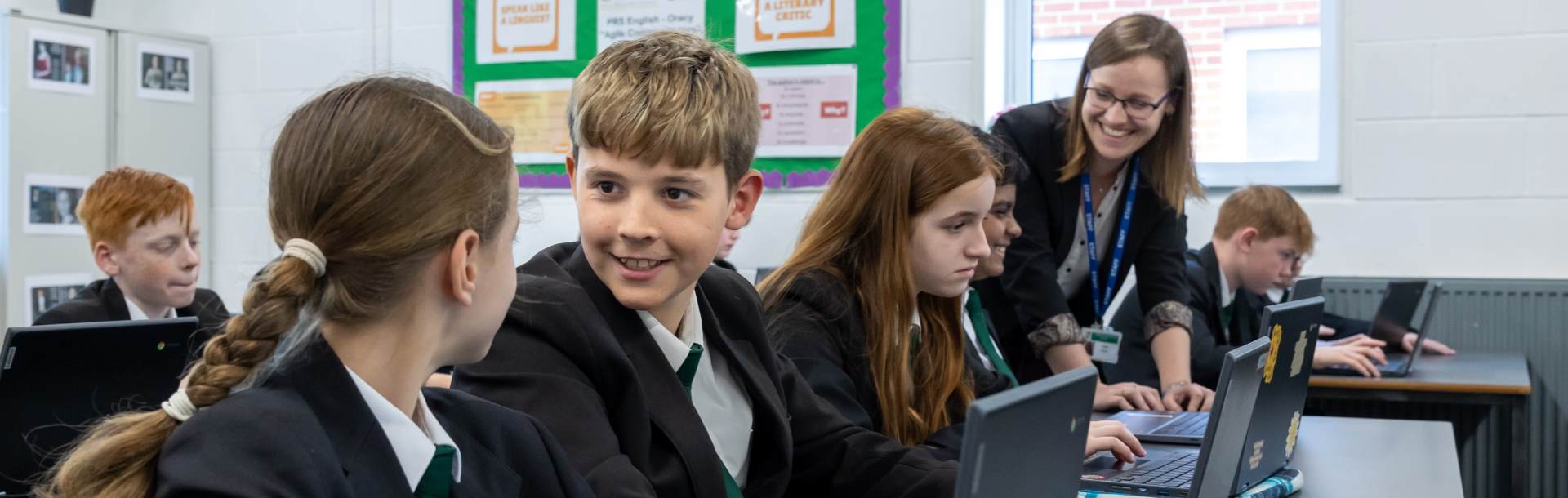
Chromebooks for Learning Programme
Introduction: Partnering for a Digital Future
Welcome to our “Chromebook for Learning” programme. We are incredibly excited to share this guide with you, which outlines a significant step forward in how we support our students’ education. Our core mission is to prepare every young person for a bright and dynamic future, equipping them with the essential skills for life in an ever-changing world.
Digital literacy is no longer a niche skill but a fundamental competency, and this initiative is central to our commitment to providing the best possible education. This section of our website explains the vision behind the programme, details the educational benefits of providing each student with their own device, and answer the practical questions you may have about how it all works.
We have researched various technologies extensively and are confident in our choice. The information provided here will explain precisely why we believe Chromebooks are the ideal tool to enhance your child’s learning journey with us.
 Need further information?
For any further questions not covered by this guide, please get in touch using the information below:
For enquiries about financial support, please email financehelp@insignis.org.uk
For enquiries about the purchasing portal, please go to hello@edde.education
For technical and all other enquiries, please email chromebooks@insignis.org.uk
Our Approach to Digital Learning
The “Blended Learning” Model: The goal of this programme is not simply to introduce more technology into the classroom, but to fundamentally enhance and enrich the learning experience. However, these devices are designed to support and improve traditional ways of learning, not replace methods such as pen and paper.
- Not a Replacement: Essential skills like handwriting remain a priority. Students will still use exercise books for handwriting and exam practice.
- Google Classroom: This is our central hub where teachers share materials, assignments, and feedback.
- Parent Updates: As part of our Google ecosystem, parents can sign up for ‘Guardian Summaries.’ This provides you with weekly or daily email updates regarding your child’s missing work, upcoming deadlines, and class activity.
Why We Use 1:1 Chromebooks
We recommend Chromebooks because they are simple, secure, and built for collaboration. Beyond simple access to resources, the specific educational benefits include:
- Quick Start-Up: Boots up in under 8 seconds, ensuring no lesson time is wasted waiting for technology to load.
- Long Battery Life: A single charge lasts the entire school day, removing the need for charging in school.
- Collaboration: Chromebooks allow students to work together on documents in real-time, enabling peer support and instant teacher feedback during lessons.
- Personalised Pace: 1:1 devices allow students to rewind, pause, and replay teacher explanations or video resources, allowing them to learn at a speed unique to them.
- Support for Needs: Chromebooks provide unparalleled support for students with Special Education Needs and Disabilities (SEND) through built-in accessibility tools.
Safeguarding: Filtering & Monitoring
We are duty bound by the Department for Education under Keeping Children Safe in Education to filter and monitor all 1:1 Managed Devices. It is vital that parents understand how this works:
- Web Filtering (Blocking): Our system blocks harmful and illegal content 24/7. This protection applies whenever the device is used, even at home.
- Human Monitoring (Filtering & Alerts): Filtering of student activity and active human monitoring (where staff are notified of concerning searches) operates between 8am-5pm, term time only.
- Parental Responsibility: Outside of school hours, while the filter remains active, the supervision of internet usage is the responsibility of the family.
Getting a Device: Your Options
We encourage all students to have their own 1:1 managed device. We offer three main pathways to ensure this is accessible for everyone.
Option A: Chromebook Purchase Scheme
We work with Getech Education and edde to allow families to buy a device through affordable monthly payments with no credit check. We have negotiated big discounts through bulk purchasing, and we believe this scheme offers good value for money compared to similar devices with insurance cover and equivalent payments over time.
The Device: Lenovo 300e Yoga Chromebook Gen 4 (Rugged, 2-in-1 touchscreen, built-in stylus).
What is included:
- The device and protective case.
- No Excess Insurance: 3-years’ theft and accidental damage cover with £0 excess.
- Warranty: 12 months manufacturer’s warranty.
- Software: Google Education Licence and administrative set-up.
- Pricing: Starts from approximately £14 per month (prices subject to variation).
Ordering your Chromebook via the edde Finance Scheme
The ordering portal is secure and simple to use.
When Can I Order?
New Year 7s: You will receive information in the summer term. Devices are delivered to school ready for collection during your child’s first few days in September.
Mid-Year Joiners: The purchasing portal opens at various points throughout the year. Your school will write to you directly when the next purchasing window is open.
Enter your email address to begin registration.
Select the Lenovo 300e Chromebook bundle.
Choose your payment plan (spread the cost over monthly instalments or pay a one-off amount).
The lease scheme (paying by monthly instalments) includes:
- Monthly affordable payments (up to 36 months) with no credit checks
- 12 months manufacturer’s warranty
- 3 years insurance and accidental damage cover (no insurance excess payment)
- Google Education licence and account setup
The benefit of the outright purchase scheme includes:
- 12 months manufacturer’s warranty
- Optional 3 years’ insurance and accidental damage cover (no insurance excess payment)
- Google Education licence and account setup
Enter your payment details to complete the order.
Please note: If paying by Direct Debit, the first payment will usually be taken the month following delivery of the device.
Option B: ChromeFlex (Reuse an old laptop)
If you own an older, compatible Windows laptop, we can convert it into a Chromebook for school use.
- Cost: A one-off non-refundable fee of £50.
- What this covers: This fee purchases the Google Education licence that allows the school to push out necessary apps, Wi-Fi settings, and security updates centrally. Without this, the device cannot connect to our secure learning network. The fee also includes the administration required to manage the device on an ongoing basis.
- Important Note: This process requires a full factory reset, which will wipe all data from the laptop. Please back up your files before handing the device to us.
Please note: A ChromeFlex device does not receive the same benefits as a device purchased from the Trust’s Chromebook Purchase Scheme.
Option C: Bring Your Own Device (BYOD)
You may purchase a new Chromebook from any retailer.
- Cost: A one-off non-refundable fee of £50.
- Why is this fee mandatory? This fee purchases the Google Education licence that allows the school to push out necessary apps, Wi-Fi settings, and security updates centrally. Without this, the device cannot connect to our secure learning network. The fee also includes the administration required to manage the device on an ongoing basis.
- Please note: a Chromebook purchased directly from a retailer does not receive the same benefits as a device purchased from the Trust’s Chromebook Purchase Scheme.
Support for Pupil Premium (PP) Students
Students eligible for Free School Meals (or identified as PP) will be provided with a Chromebook free of charge.
- This device includes all the benefits of the Purchase Scheme (insurance/warranty).
- Ownership: The device remains the property of the school and must be returned when the student leaves the Trust.
- Action: Guidance will be issued to parents/carers of students eligible for Free School Meals (or identified as PP) to explain how to obtain a device. Although the Trust will pay for the device, parents/carers will need to request the device via the purchasing portal.
Daily Routines & Looking After Your Device
To ensure the device is ready for learning every day, we ask students to follow these routines:
- Charging: There are no charging facilities in school. It is the student’s responsibility to charge the device overnight. A fully charged Chromebook will last the entire school day.
- Weight & Health: We selected the Lenovo 300e for its durability and weight. At approx. 1.3kg, it is well within recommended backpack weight limits.
- Forgotten Devices: If a student forgets their device, this will have a negative impact on their learning. Repeated instances may result in behaviour sanctions as students are expected to arrive ready to learn.
- Offline Mode: If home Wi-Fi is unavailable, students can still use the Chromebook in ‘offline mode’ to complete Docs and Sheets, which will automatically sync once they reconnect to the school network.
- Community Safety: While we filter internet usage, parents often worry about safety travelling to school. We recommend students keep devices hidden in their bags while travelling.
- Theft Prevention: We strongly encourage parents to register their child’s device on Immobilise (the national property register). This is a free service that helps police identify the owner of recovered property.
Repairs, Insurance & Loan Devices
Reporting Damage
The process for repairs and the cover available depends entirely on how the device was sourced. Please identify which category applies to you below:
Monthly Payment Plan (via edde) If you are paying for the device monthly, the 3-year insurance package is automatically included.
- Cover: You are covered for 3 years against accidental damage (e.g., drops, spills) and theft (with force).
- Warranty: You also have the standard 12-month manufacturer’s warranty for hardware faults.
Outright Purchase (via edde) If you bought the device from the school portal as a one-off payment, the 3-year insurance was an optional add-on at the point of sale.
- If you purchased the Insurance: You have full cover for 3 years against accidental damage and theft, alongside the standard warranty.
- If you purchased ‘Device Only’: You are covered only by the 12-month manufacturer’s warranty. This covers hardware faults (e.g., a trackpad failure not caused by damage) but does not cover cracked screens, liquid spills, or theft. Any repair costs for accidental damage will be the responsibility of the parent.
Private Purchase (BYOD / ChromeFlex) If you purchased your Chromebook from a third-party retailer or reused an old laptop, the school cannot facilitate repairs. The £50 Management Fee covers software licensing only; it provides no hardware cover. Parents are responsible for all insurance and repairs.
Understanding the Difference: Warranty vs. Insurance
- Manufacturer’s Warranty (1 Year): Covers mechanical breakdown (e.g., the battery stops charging or the keyboard fails). It never covers damage caused by the user.
- Insurance (3 Years): Covers accidental damage and theft. This is the policy that pays out if the device is dropped, the screen is cracked, or it is stolen.
The Repair Process (For School Scheme Devices Only)
- Log the Claim: Contact edde immediately (hello@edde.education) to log the issue.
- Handover: Bring the device and your claim reference number to the School IT Team.
- Loan Device: We will issue a loan device (subject to availability) to keep you learning while yours is repaired. Note: Loan devices are not available for BYOD users.
Loan Device Availability
We maintain a stock of loan devices for students whose Chromebooks are being repaired.
Duration: Loan devices are issued for a standard two-week period. This allows time for repair or replacement. We have limited stock of loan devices so we limit the use of these for a two-week period, beyond two weeks we cannot guarantee a device will be available.
Eligibility: Loan Device Eligibility You are eligible for a loan device during repairs if your device is covered by:
- Manufacturer’s Warranty (Year 1)
- Insurance (Years 1–3)
Note: Devices purchased privately are not eligible for loan units.
Support for Pupil Premium Students: To ensure learning is not disrupted, students eligible for Pupil Premium are guaranteed a loan device for the entire duration of any necessary repairs.
Damage to Loan Devices: Loan devices are school property provided to ensure learning continues uninterrupted. While a loan device is allocated to your child, the parent/carer accepts full financial responsibility for its care. Unlike the device purchased through the scheme, loan units are not covered by your personal insurance policy. Consequently, if a loan device is damaged, lost, or defaced while in your child’s possession, the Trust reserves the right to invoice the family for the full cost of the necessary repair or replacement.
Financial Information
Leaving the School
If a student leaves the school before the final payment has been made, parents/carers have two options regarding the device:
-
Option 1: Purchase the Device You may settle the remaining balance with edde. Once the final payment is processed, the school will remove all management software, and the device becomes your private property.
-
Option 2: Return the Device You may return the device to the school in good condition to terminate the agreement and end any future payment obligations.
Pupil Premium (PP) Students
Students eligible for Free School Meals (or those identified as Pupil Premium) must return their device upon leaving the school. In these cases, the device remains the permanent property of the school and cannot be purchased.
Financial Support (Welfare Fund)
We maintain a Welfare Fund to support families who are purchasing a second or subsequent device for a sibling within a 12-month period.
Please note: An application does not guarantee financial assistance. It allows school staff to assess your circumstances and determine if we can provide support. To apply, please contact your school's main office directly.
Sixth Form Students
For Sixth Formers (Year 12/13), we recommend a Chromebook but allow Non-Managed Devices (NMD).
- Filtering & Monitoring: When connected to our designated Sixth Form Guest Wi-Fi, harmful and inappropriate content is blocked. However, NMDs cannot be monitored by our safeguarding software.
- Connectivity: NMDs must connect only to the designated Sixth Form Guest Wi-Fi.
- Responsibility: The school is not liable for damage to NMDs, and no loan devices are available for NMD users.
For our Sixth Form students we continue to recommend the use of a 1:1 Managed Device in the form of a Chromebook. Therefore, Sixth Formers are encouraged to purchase a Chromebook via the edde Finance Scheme through an outright purchase arrangement.